 T5 Draft Writer
A quiet place
for your words.
A little screen. A familiar keyboard. Space to find the next sentence.
T5 Draft Writer turns the LILYGO T5 into a simple drafting typewriter, with local saving and optional copies elsewhere.
How your words are saved ↓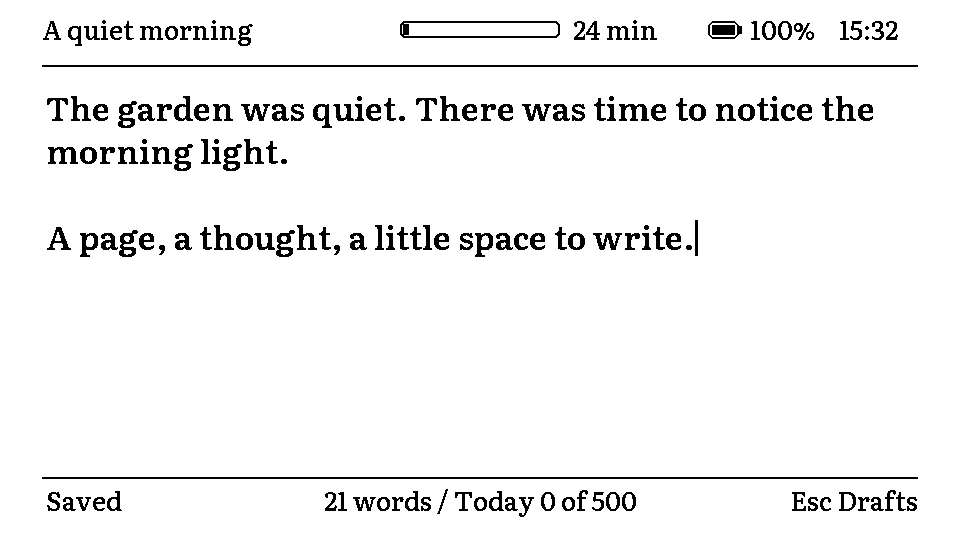
A software preview of the writing screen. This is an independent prototype, not a LILYGO product.
Write here. Keep copies where you choose.
Start with local saving.
Your draft saves on the device as you write. An internet connection is not needed for local writing and saving.
Use an SD card or NAS.
Choose optional copies on an SD card or a configured home NAS. Named text files make those copies easy to open later.
Link your own account.
When available, approve the connection on Google's own page. The typewriter sends selected drafts directly to a Drafts folder in your Drive.
The project is in development. Direct Google Drive sign-in is being configured and is not yet available as a verified public release. No firmware download is offered on this website yet.
Your manuscripts go to your Drive.
The Google integration requests access to the specific files used with T5 Draft Writer, rather than your entire Drive. Google authorization stays on your device. This website has no manuscript upload or Google sign-in form.
Questions about the project?
For help with T5 Draft Writer, sign-in or your copies, contact the project at the address below.